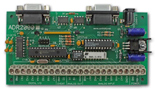
This section will demonstrate how to send and receive data from the ADR2000 or any other ADR interface, using Visual C++ and MFC. It outlines the commands used to configure the serial port, send data out through the serial port, and receive data through the serial port.
I am a Windows programmer at one of Ontrak's clients. We use a custom ADR2000 in our application. I was asked to show how we access the serial port using Visual C++ with MFC. The sample code was extracted from a program developed for Windows NT. The program has been tested with Windows 95. I make no effort to explain all of the parameters used in the various API calls. Please refer to the documentation provided with your compiler. Those with an MSDN subsrciption may refer to the article "Serial Communications in Win32"
Commands used in Visual C++ with MFC to access the ADR2000 require that the following include file be declared at the start of the program.
#include <stdafx.h>
WINDOWS NT NOTES
Direct access to the hardware is not allowed under Windows NT. Interaction with the serial port is achieved through a file handle and various WIN32 communication API's.
CONFIGURING THE SERIAL PORT
The first step in accessing the serial port is setting up a file handle.
// variables used with the com port
BOOL     m_bPortReady;
HANDLE   m_hCom;
CString  m_sComPort;
DCB      m_dcb;
COMMTIMEOUTS m_CommTimeouts;
BOOL     bWriteRC;
BOOL     bReadRC;
DWORD iBytesWritten;
DWORD iBytesRead;
char       sBuffer[128];

m_sComPort = "Com1";
m_hCom = CreateFile(m_sComPort,
		GENERIC_READ | GENERIC_WRITE,
		0, // exclusive access
		NULL, // no security
		OPEN_EXISTING,
		0, // no overlapped I/O
		NULL); // null template
Check the returned handle for INVALID_HANDLE_VALUE and then set the buffer sizes.
m_bPortReady = SetupComm(m_hCom, 128, 128); // set buffer sizes
Port settings are specified in a Data Communication Block (DCB). The easiest way to initialize a DCB is to call GetCommState to fill in its default values, override the values that you want to change and then call SetCommState to set the values.
m_bPortReady = GetCommState(m_hCom, &m_dcb);
m_dcb.BaudRate = 9600;
m_dcb.ByteSize = 8;
m_dcb.Parity = NOPARITY;
m_dcb.StopBits = ONESTOPBIT;
m_dcb.fAbortOnError = TRUE;

m_bPortReady = SetCommState(m_hCom, &m_dcb);
Communication timeouts are optional but can be set similarly to DCB values:
m_bPortReady = GetCommTimeouts (m_hCom, &m_CommTimeouts);

m_CommTimeouts.ReadIntervalTimeout = 50;
m_CommTimeouts.ReadTotalTimeoutConstant = 50;
m_CommTimeouts.ReadTotalTimeoutMultiplier = 10;
m_CommTimeouts.WriteTotalTimeoutConstant = 50;
m_CommTimeouts.WriteTotalTimeoutMultiplier = 10;

m_bPortReady = SetCommTimeouts (m_hCom, &m_CommTimeouts);
If all of these API's were successful then the port is ready for use.
SENDING COMMANDS TO THE ADR2000
To send commands to the ADR2000 the WriteFile call is used. For example, the following call sends an RE ( read event counter ) command to the ADR2000;
bWriteRC = WriteFile(m_hCom, "RE\r",3,&iBytesWritten,NULL);
The \r escape embeds a carriage return character at the end of the transmitted string. The ADR2000 uses this to recognize a command.
RECEIVING DATA FROM THE ADR2000
If a command sent to the ADR2000 is a responsive command, that is, one that results in data being sent back to the host, the data is retrieved using the ReadFile call.
bReadRC = ReadFile(m_hCom, &sBuffer, 6, &iBytesRead, NULL);
When you are through using the file handle simply close the file.
CloseHandle(m_hCom);
I hope that this assists you in your programming efforts.
John Homppi
To retrieve the Visual C++ project used in this example ( 85K ) in ZIP format ,click "VISUAL C++ EXAMPLE"